

How to enable WalletConnect support in TON Connect
Adding WalletConnect as a secondary connection option lets users on custodial wallets such as Fireblocks reach your TON Connect dApp without leaving their existing WalletConnect flow.
WalletConnect support ships with @tonconnect/sdk. Enabling it adds a WalletConnect entry to the standard TON Connect wallet picker. From the dApp's perspective, the same TonConnect or TonConnectUI instance handles WalletConnect sessions and TON Connect bridge sessions interchangeably.
When to use it
Add WalletConnect support when an integrator already requires WalletConnect and cannot install a TON Connect-native wallet — typically institutional custody and treasury platforms.
For everything else, prefer native TON Connect: see Build a dApp with React.
WalletConnect is not available inside Telegram Mini Apps. The wallet picker hides the WalletConnect entry when the dApp runs in TMA, in line with the Telegram blockchain guidelines. Use TON Connect there.
Limitations vs native TON Connect
WalletConnect exposes a subset of TON Connect's surface — connect, disconnect, sendTransaction, signData, and ton_proof. Newer or wallet-specific features stay on the native bridge.
| Feature | Native TON Connect | WalletConnect |
|---|---|---|
sendTransaction | yes | yes (capped at 4 messages) |
extraCurrency in messages | yes | no |
signData (text, binary, cell) | yes | yes |
Gasless signMessage | yes | no |
ton_proof | yes | yes |
Embedded requests (e parameter) | yes | no |
| Wallet picker UX | TON Connect modal | Reown WalletConnect modal |
| Telegram Mini Apps | yes | no |
Setup
WalletConnect support requires a WalletConnect (Reown) project ID. Register one on the dashboard, then install the universal connector alongside the TON Connect SDK:
npm install @tonconnect/sdk @reown/appkit-universal-connectorCall initializeWalletConnect() once, before any TonConnect or TonConnectUI instance is constructed. A second call throws Wallet Connect already initialized.
import { initializeWalletConnect } from '@tonconnect/ui-react';
import { UniversalConnector } from '@reown/appkit-universal-connector';

initializeWalletConnect(UniversalConnector, {
    projectId: '<your_project_id>',
    metadata: {
        name: 'Demo dApp',
        description: 'Demo TON dApp',
        url: 'https://example.com',
        icons: ['https://example.com/icon.png']
    }
});
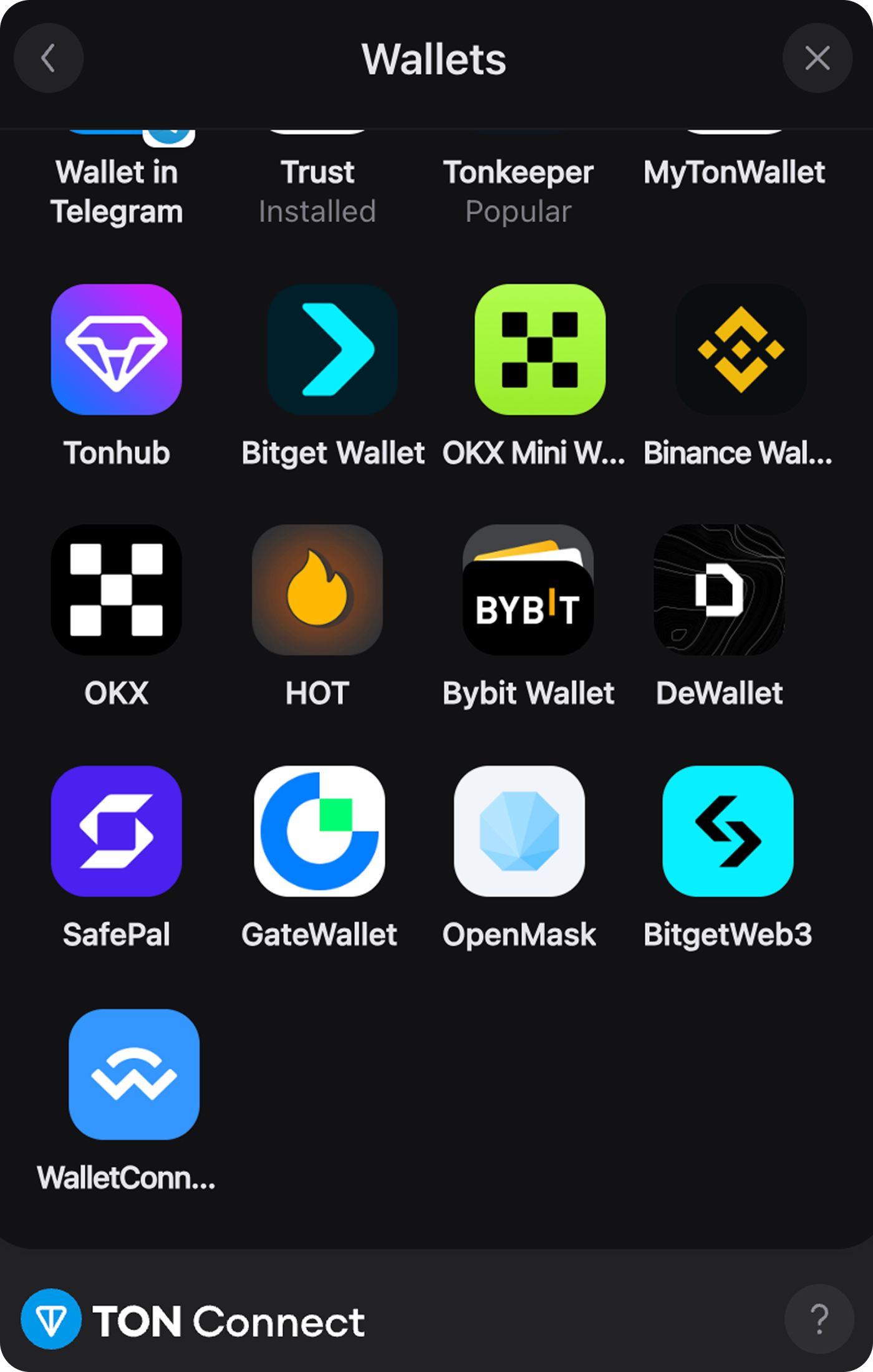
Once initialized, a WalletConnect entry appears at the bottom of the All Wallets list in the TON Connect modal. Selecting it hands the connection off to Reown's modal. The connected account is delivered back through the same onStatusChange callback used for native TON Connect wallets.
Sending requests
After connection, the dApp uses the same TonConnect or TonConnectUI API regardless of which transport carries the session:
- Send a transaction — maps to WalletConnect's
ton_sendMessagemethod. - Sign data — maps to WalletConnect's
ton_signDatamethod. - Disconnect.
Methods outside this set fall through to a Not implemented. response from the WalletConnect provider.
When to keep WalletConnect disabled
Keep TON Connect as the primary connection path. Enable WalletConnect support only when a real integrator needs it. Every call to initializeWalletConnect() adds a wallet entry that fails in Telegram Mini Apps and silently drops the features in Limitations vs native TON Connect.