
Fift language overview
The official smart contract language of TON Blockchain is Tolk. Fift is now a legacy language, with its compiler no longer maintained.
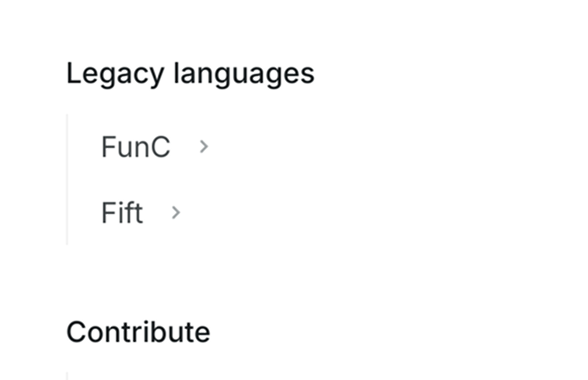
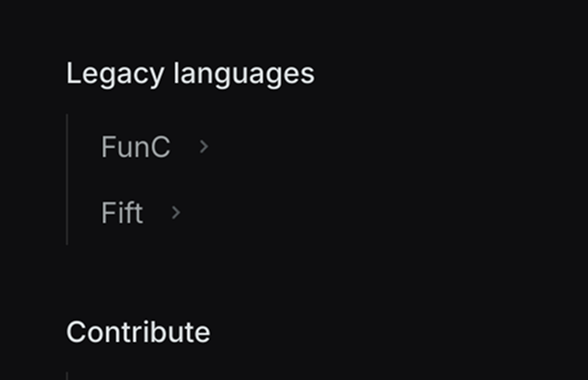
Fift pages will be moved down in the sidebar in mid-April 2026. Here is the preview of a possible future placement, right between "Blockchain foundations" and "Contribute" sections:
Fift is a stack-based general-purpose tacit programming language optimized for creating, debugging, and managing smart contracts on TON Blockchain.
It has been specifically designed to interact with TON Virtual Machine (TVM) and TON Blockchain. In particular, it offers native support for 257-bit integer arithmetic and cell manipulation, as well as an interface to the Ed25519-based cryptography employed by TON.
Fift also includes a macro assembler for TVM code, which is a common intermediate target of higher-level languages such as Tolk and FunC, as well as a common textual bitcode representation of smart contracts. For more examples of the latter, see various blockchain explorers and disassembled smart contracts.
Installation
Interpreter and libraries
Fift interpreter binaries for Windows, macOS (Intel or Arm64), and Ubuntu can be downloaded from the latest GitHub release.
Make sure to also download the necessary libraries — download and unpack the smartcont_lib.zip. The lib/ folder inside contains standard libraries of Fift, which must be exposed to it when running the interpreter.
Consider the following example installation steps:
Download the latest Fift binary
Go to the latest GitHub release, download fift.exe and place it somewhere on your PATH. To see the current state of the PATH variable, run echo $env:PATH in the PowerShell.
Go to the latest GitHub release, download fift-linux-x86_64 (64-bit, x86 arch) or fift-linux-arm64 (64-bit, Arm arch), and place it somewhere on your $PATH as fift. To see the current state of the $PATH variable, run echo $PATH | tr ':' '\n' in the terminal.
Go to the latest GitHub release, download fift-mac-x86-64 (64-bit, Intel) or fift-mac-arm64 (64-bit, Apple Silicon), and place it somewhere on your $PATH as fift. To see the current state of the $PATH variable, run echo $PATH | tr ':' '\n' in the terminal.
Download Fift's standard libraries
- Download
smartcont_lib.zipfrom the latest GitHub release. - Unzip it and extract the contents.
- Move the extracted
lib/folder somewhere convenient. You can also place it under a different name.- For example, for Linux and macOS, it can be moved to
~/.local/lib/fiftlib - For Windows, to
~/.fiftlib
- For example, for Linux and macOS, it can be moved to
Run Fift
To invoke the Fift binary, you'll need to pass it the standard libraries as such:
fift -I /path/to/extracted/lib -i Asm.fifIf you see errors or red-colored output lines, double-check the placement of the Fift binary and related libraries from previous steps.
Otherwise, write the following and press "Enter":
2 2 + .sIf you see "4 ok", then Fift has been successfully installed on your machine!
To learn about other launch options, add the -h flag by the end of the prior Fift invocation command.
For Linux and macOS, it might be convenient to make an alias as such:
# Within .bash_aliases or .zsh_aliases
alias fift="/path/to/fift -I /path/to/extracted/lib -i Asm.fif"
Additional tooling
Extensions and plugins
- VS Code extension - powerful and feature-rich extension for Visual Studio Code (VSCode) and VSCode-based editors like VSCodium, Cursor, Windsurf, and others.
- Get it on the Visual Studio Marketplace.
- Get it on the Open VSX Registry.
- Or install from the
.vsixfiles in nightly releases.
- JetBrains IDEs plugin - provides syntax highlighting, code navigation, and more.
- Language Server (LSP Server) - supports Sublime Text, (Neo)Vim, Helix, and other editors with LSP support.
Online utilities
- TxTracer: Assembly playground
- TxTracer: Code explorer with assembly output
- TxTracer: TVM instruction table
Getting started
Here is a simple Hello, World! example written in Fift:
."Hello, World!"When executed with fift binary, it produces the following output:
Hello, World! okThere, ok means successful end of execution of the given code snippet.
When things go awry, there may still be an ok by the end, albeit prefixed with several red lines of cryptic-looking stack traces. Those are how Fift reports errors, and this is one of the major reasons why Fift is considered a legacy language.
Any errors encountered during execution clear the stack!
Hence, to actually know what happened, one needs to preemptively check stack contents. For that, use the "printf debugging" approach with the .s word — it dumps current stack contents to the console without modifying the stack.
"Hello, " .s
// "Hello, "

"World!" .s
// "Hello, " "World!"

$+
// "Hello, World!"

type
// Hello, World! ok
// Now, the stack is clear.
To continue learning Fift, see the educational materials section, or move to the follow-up references.
Educational materials
Whitepapers
While most of the information described there holds some truth, the fiftbase.pdf whitepaper is still considered legacy due to a lack of updates and gradual integration of its contents into actual documentation pages.
However, it is the most exhaustive reference manual on Fift to date, so you can still use it to learn a lot about Fift.
Fift language specification, web version
Tacit stack-based programming language with a deep connection to TVM.
Fift language specification, PDF
Original documentation written by Dr. Nikolai Durov, a comprehensive whitepaper.
Articles
Videos and playlists
Examples
See also
Last updated on